Ectomatter
Set up your keyboard, mouse and screen in one app.
- Role
- Product design and direction
- Stack
- Rust, Slint, WebAssembly
- Status
- In development. Runs on Linux today.
- Year
- 2026
What it is
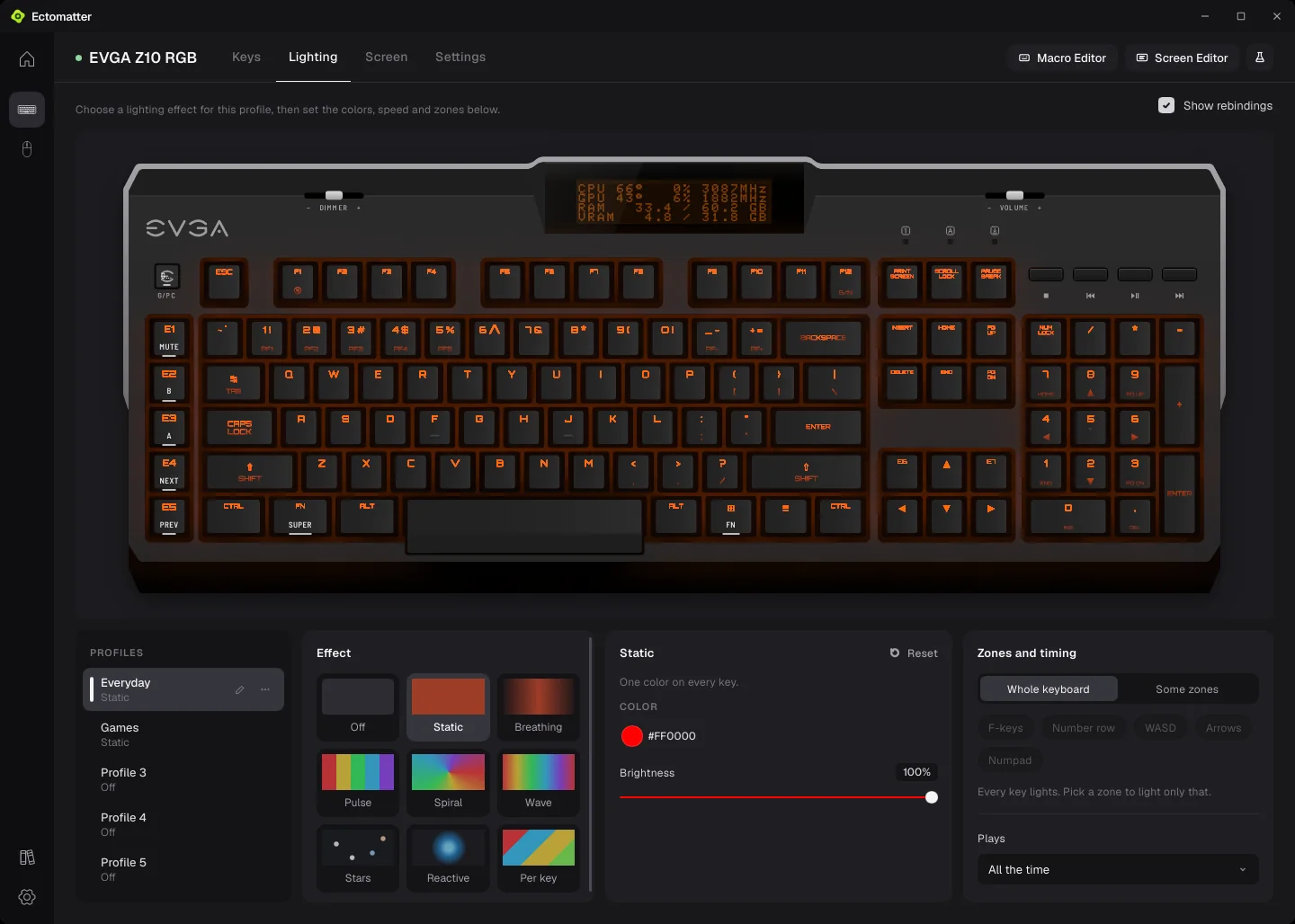
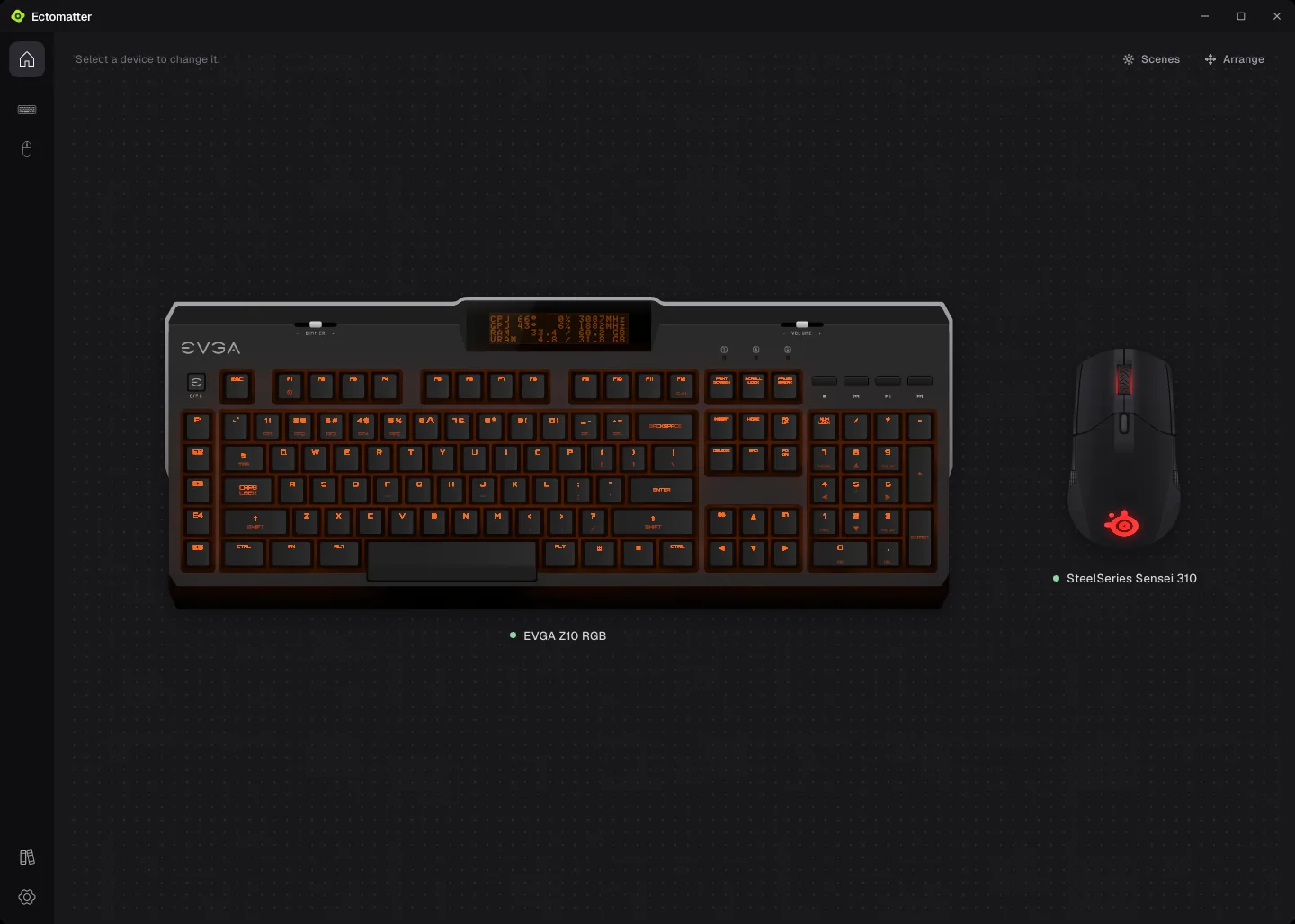
Ectomatter is a desktop app for the devices on your desk. It sets up each one's keys, lighting and settings, including the small screen built into the keyboard, and it switches every device's profile with the game or program in front. It can also change the computer around a game while it runs and put everything back when the game quits: today that means monitor settings, for games started through Ectomatter.
It works with two devices today, an EVGA Z10 RGB keyboard and a SteelSeries Sensei 310 mouse.
Ectomatter is an independent project. It is not made, endorsed or supported by EVGA, SteelSeries or any other maker whose devices it drives.
The build
The aim is that no device is built into the app. Each one comes as a small add-on, called a core, that describes the device and can talk only to the devices it declares. Plugins add sections to the app's pages, such as launch options for each game, or the weather for the keyboard's screen.
The app is meant to know nothing about any one plugin, so a test enforces it. The test starts every plugin, collects the setting and button names each one describes, and fails if any of those words shows up as text in the app's own source code.
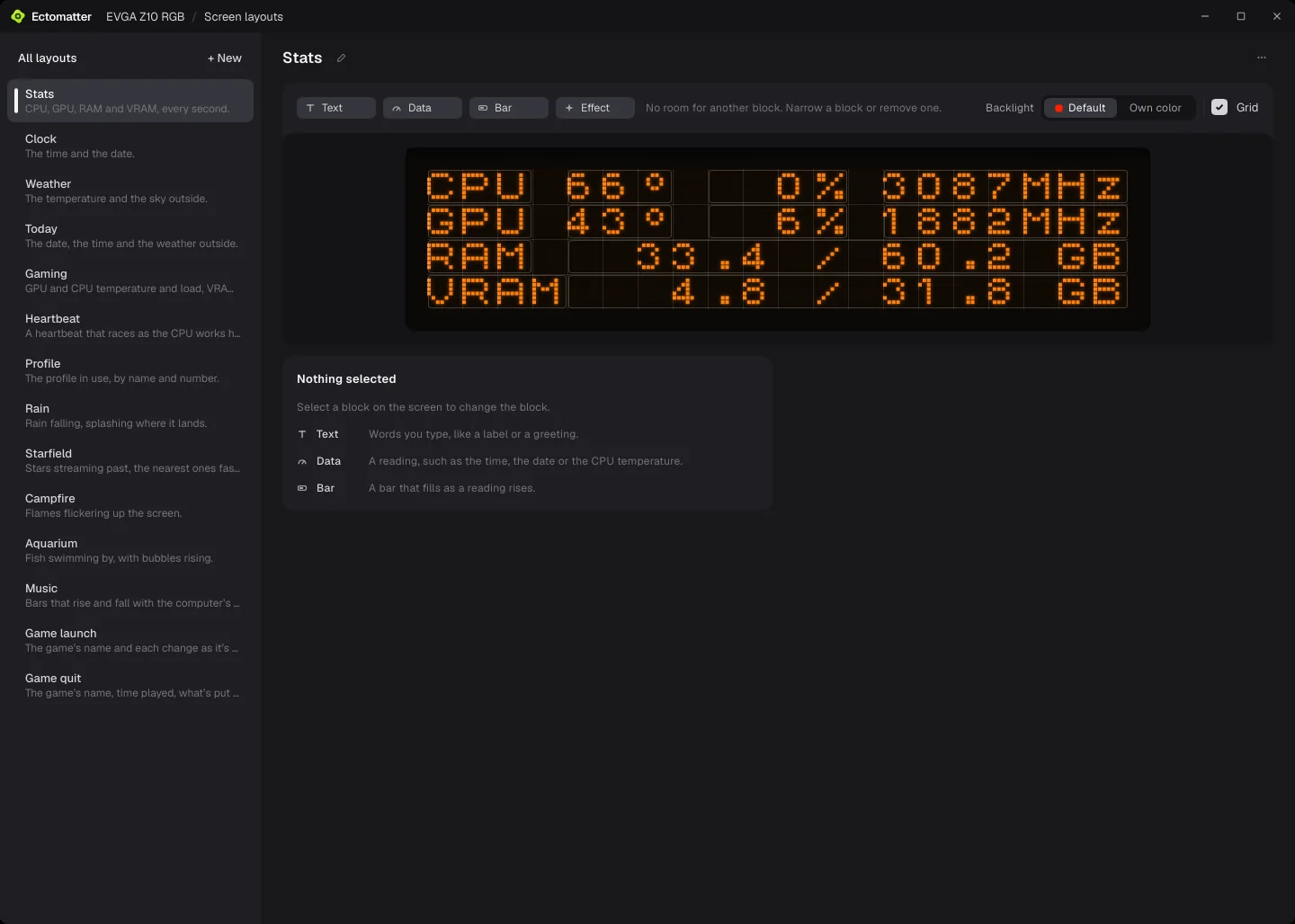
The keyboard's small screen has its own editor: layouts built from text, readings such as the time or a temperature, and bars that fill as a reading rises, on a grid of four rows of twenty characters. Working out how to write to that screen in the first place is its own story, written up on the blog.
Still open
- It runs on Linux with the KDE Plasma desktop. Windows and macOS are planned: that code exists but has never been run.
- One keyboard and one mouse at a time. A second keyboard's core starts but gets no page of its own.
- The keyboard's page still holds a few of the Z10's own details. Moving them into its core is unfinished.
- There is no public release yet. It installs from a package built on my own computer.
Next
Contact
Hiring for a creative technology role, or working on something that needs to become clearer, stronger, more useful, or more real? I'd like to hear about it.