Ectolens
Screenshots and screen recordings from one key.
- Role
- Product direction and design
- Stack
- C++, Qt 6, QML, KDE Frameworks
- Status
- In development. Open source on GitHub.
- Year
- 2026
What it is
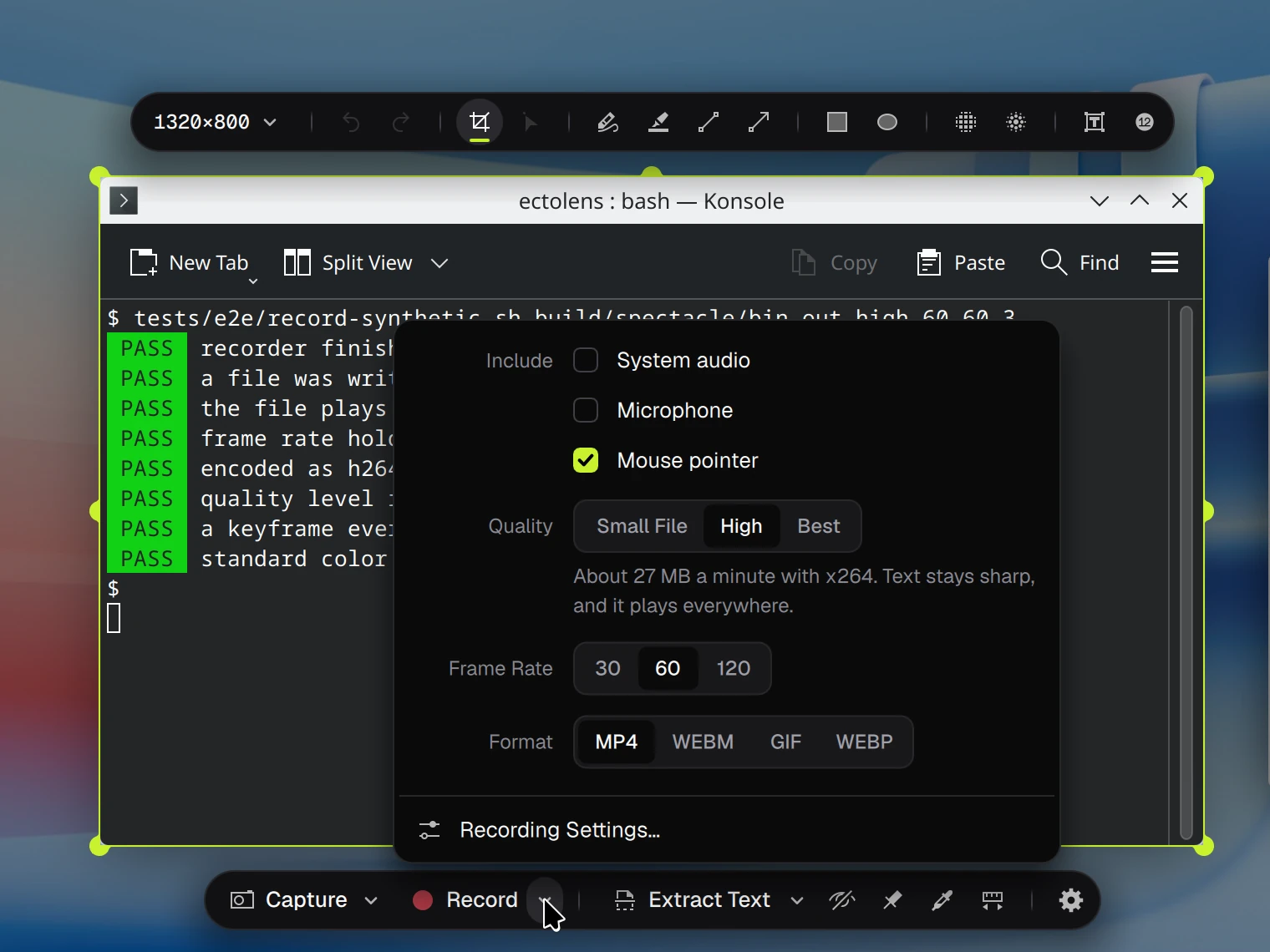
Ectolens is a fork of Spectacle, the screenshot and screen-recording tool that comes with KDE's Plasma desktop. It takes pictures and video from one overlay: press Print Screen, choose a window or an area, then choose Capture or Record, without switching to a different tool.
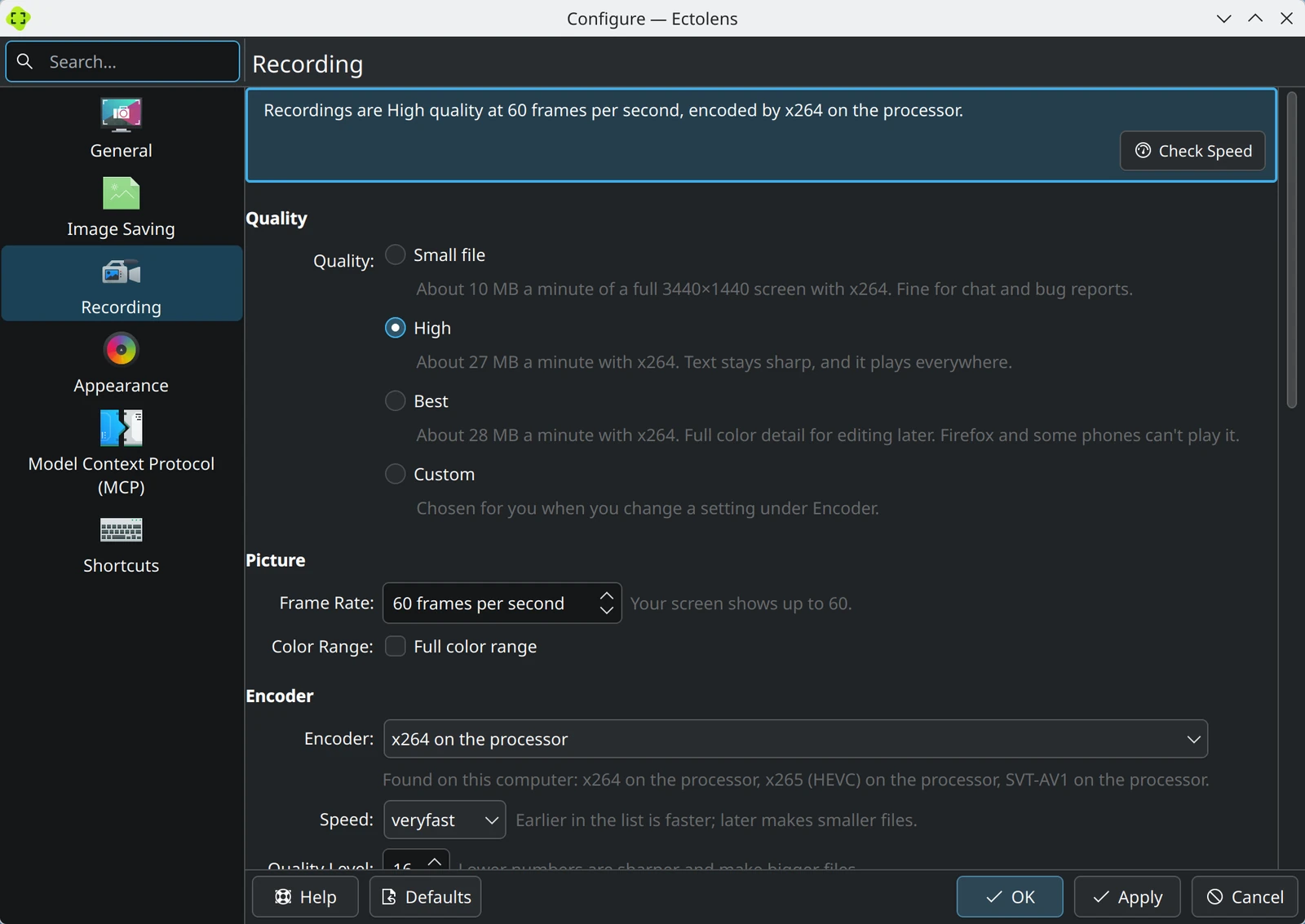
I started it because Spectacle's recordings were small and could not be tuned. On my computer a minute came out at about 4.8 MB, with no setting for quality, frame rate or encoder. Ectolens lets you choose all three, and says what each choice costs in file size.
Ectolens is not a KDE project. The pictures here use the Waterfall wallpaper by Krystian Zajdel (CC BY-SA 4.0).
The build
The recording engine looks at the computer and picks an encoder: x264, x265, SVT-AV1 or the graphics card's NVENC. Recordings come in three quality presets, at 30, 60 or 120 frames a second, as MP4, WebM, GIF or WebP. A recording is written as it goes, so a crash does not lose it, and pausing cuts the paused time out of the video.
The recorder is tested without a person at the keyboard. A script records a synthetic desktop in a headless KWin and checks that a file was written, that it plays, that the frame rate holds and that the color is tagged correctly. The install scripts and the Fedora package were run the same way in containers for five distributions: Fedora 44, openSUSE Tumbleweed, Arch, Debian testing and KDE neon.
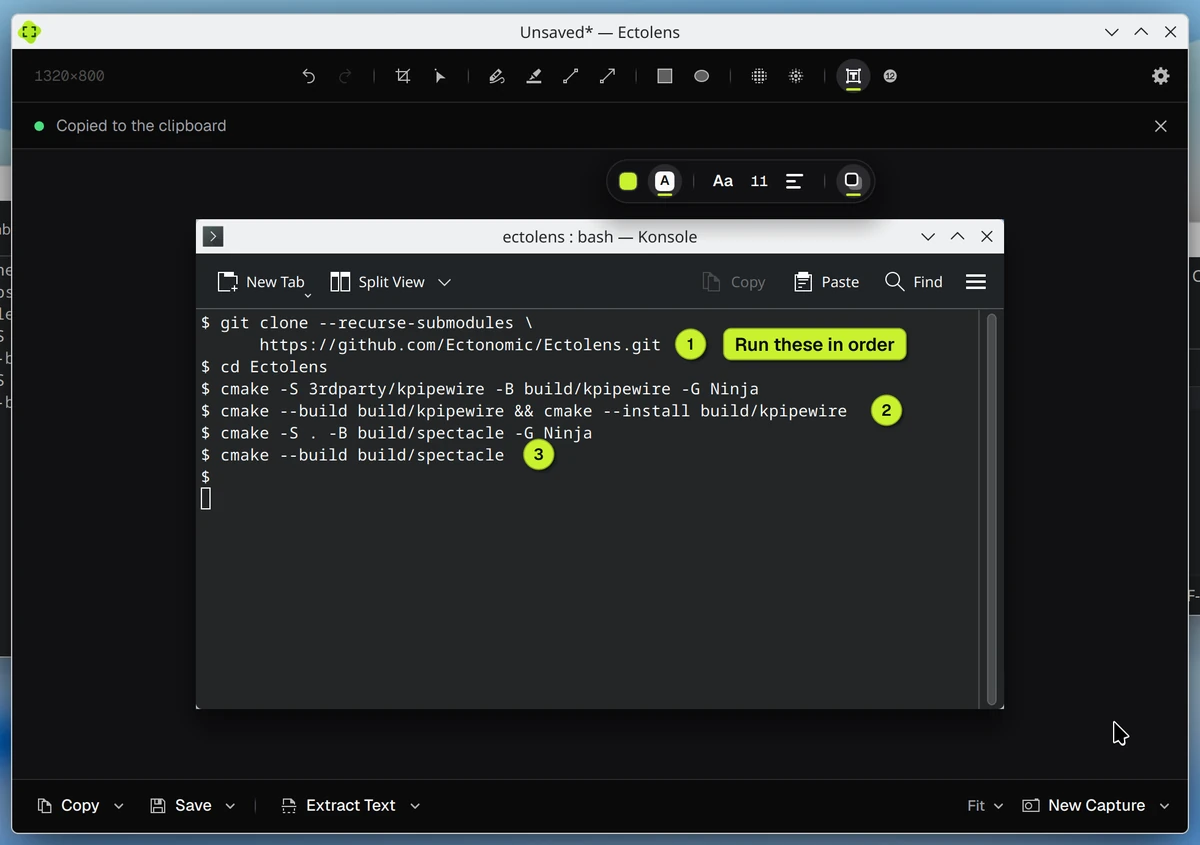
Around the capture it adds a Hide Private Info tool, a color picker, a ruler, a QR-code reader, pinned captures, and text, label and numbered-badge marking. It stays close to KDE's code, and it fixes bugs in KPipeWire, the library that records the screen: a crash, 60 fps pacing, audio during a pause and a color-range tag.
Still open
- Development is paused for now. HDR capture comes first when it resumes; 10-bit video, trimming, instant replay and a webcam bubble are not started.
- The goal is recording as robust as OBS Studio, with Spectacle's simpler way of starting. That is a goal, not a measured result.
- It is built for KDE Plasma on Wayland. A run with two screens at different scales has not been done yet.
- There is no numbered release, and nothing has been offered back to KDE yet. It installs from a Fedora package or an install script, both described in the code repository on GitHub.
Next
Contact
Hiring for a creative technology role, or working on something that needs to become clearer, stronger, more useful, or more real? I'd like to hear about it.